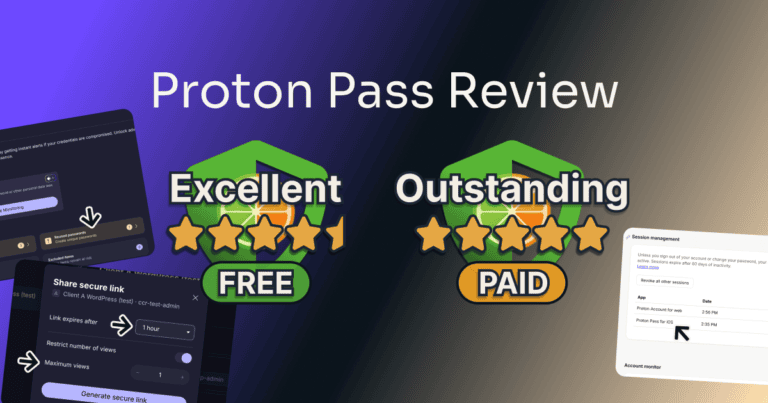
How to Create Proton Pass Aliases 2026: Even Replies Stay Private
A spare address for every site that asks for your email.
Bottom line: Pick “Hide my email” on a sign-up form or make an alias in your vault, read and answer its mail, and switch it off when you’re done.
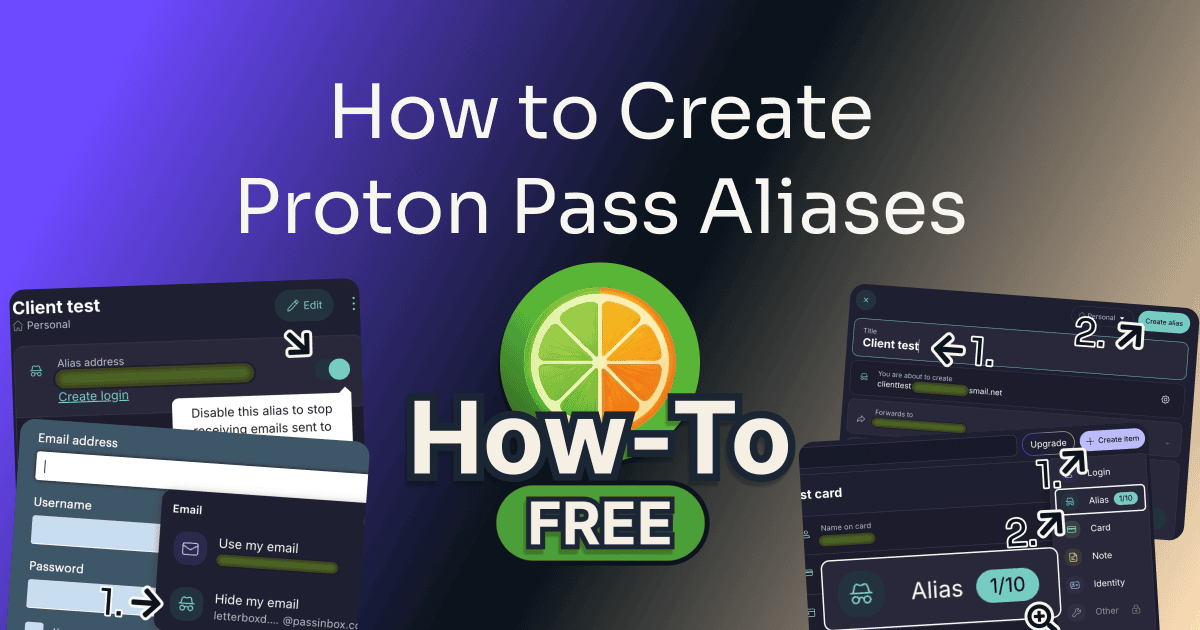
I created my Proton Pass aliases in the Chrome extension. Each step below is one I clicked through, with my inbox at the other end.
Table of Contents
This post has no active affiliate links yet.
Before You Start
| Tool | Proton Pass |
| Time to complete | Under a minute |
| Difficulty | Very easy |
| Plan required | Free |
Proton’s business plans add an admin panel; this guide covers the personal plans.
Free
How to Create Proton Pass Aliases: Step by Step
Follow along:
Step 1: Create an Alias Inside a Sign-Up Form
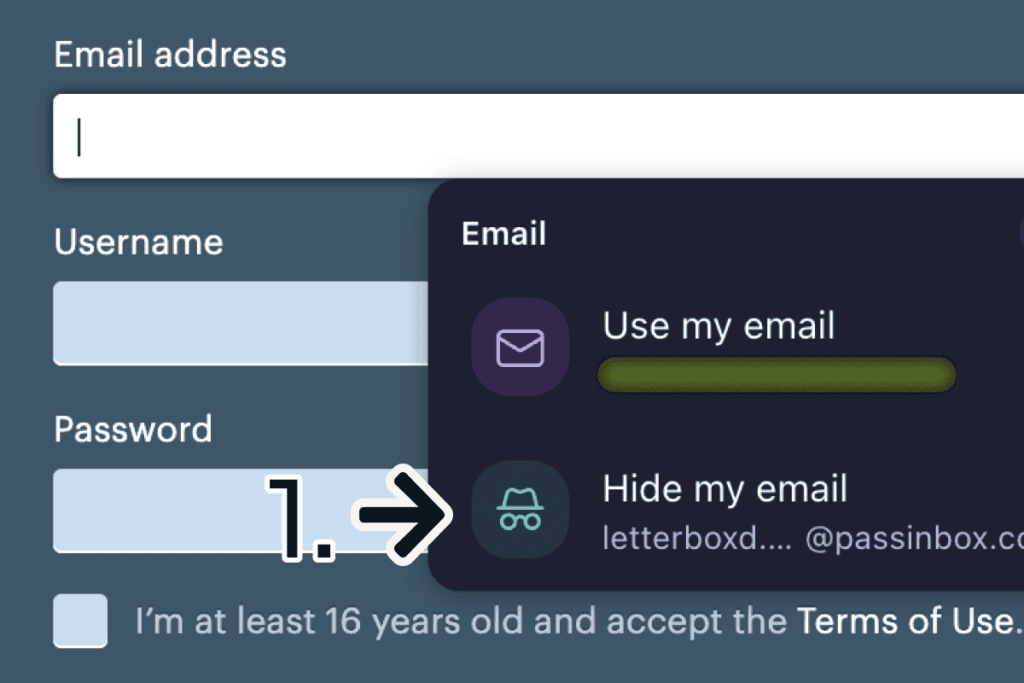
On any site’s sign-up form, click the empty email box and pick “Hide my email” (1). Proton Pass fills in a new alias named after the site. Your alias is ready, so skip to step 4 to read its mail, or read on if you have no form open.
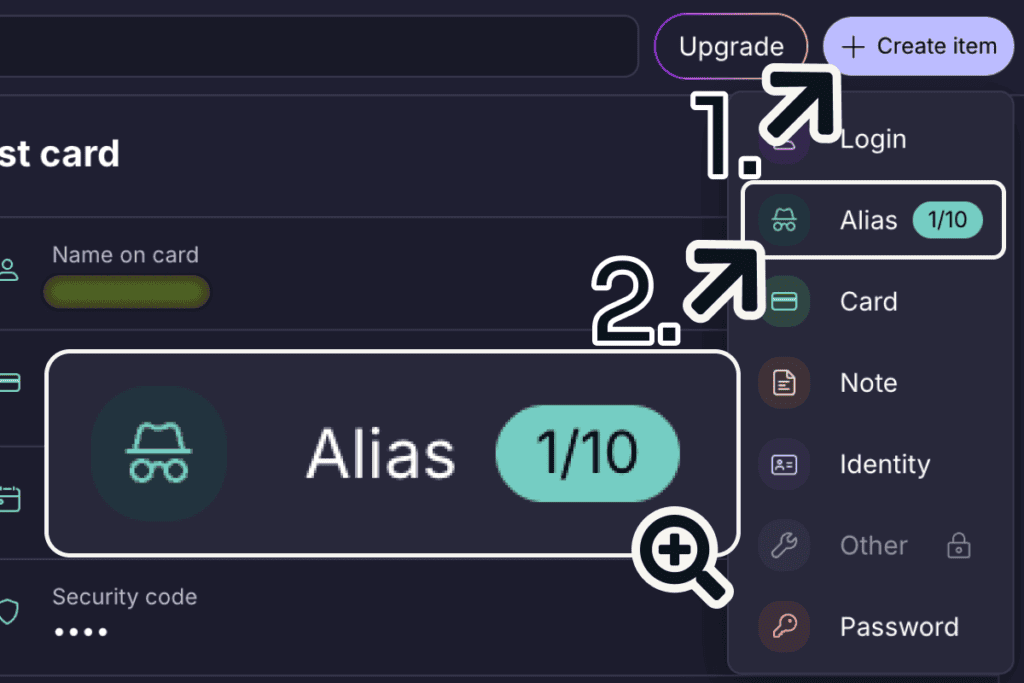
Step 2: No Form? Use Proton Pass’s Alias Menu
Open the Proton Pass extension and click “+” at the top right. In the “Larger window” view from the extension’s menu, shown in the picture, that button reads “Create item” (1). Choose “Alias” (2).
Step 3: Name the Alias and Create It
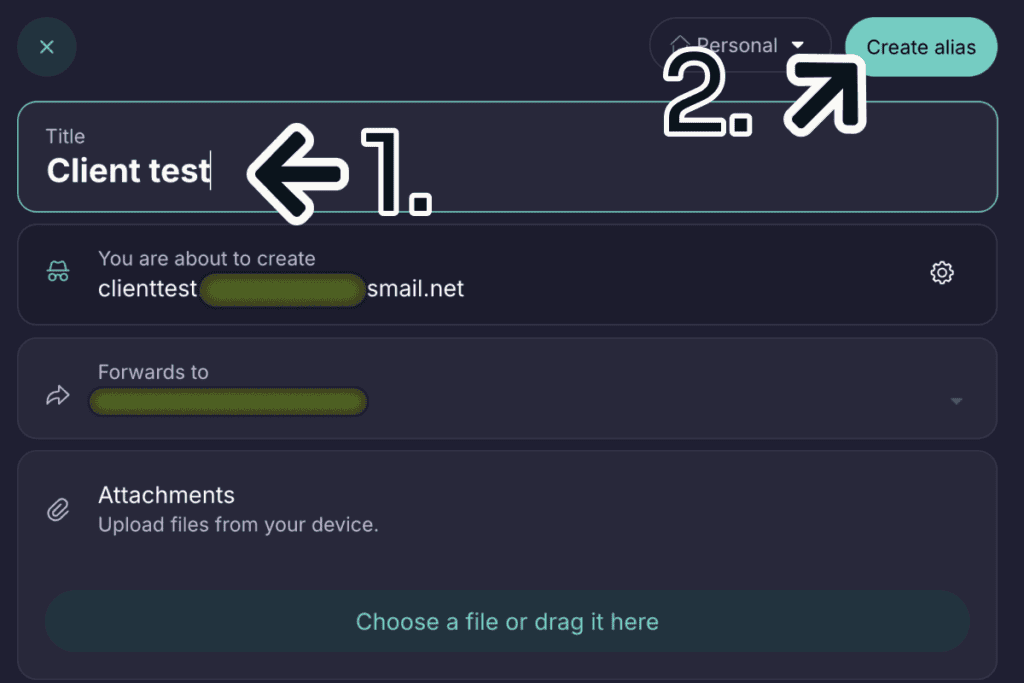
Give your alias a name in the “Title” field (1). Proton Pass builds the address from it under “You are about to create”; to pick a different address, click the cog beside it. Click “Create alias” (2); once it’s saved, you can copy the new address by clicking it under “Alias address”.
Step 4: Read Mail Sent to the Alias
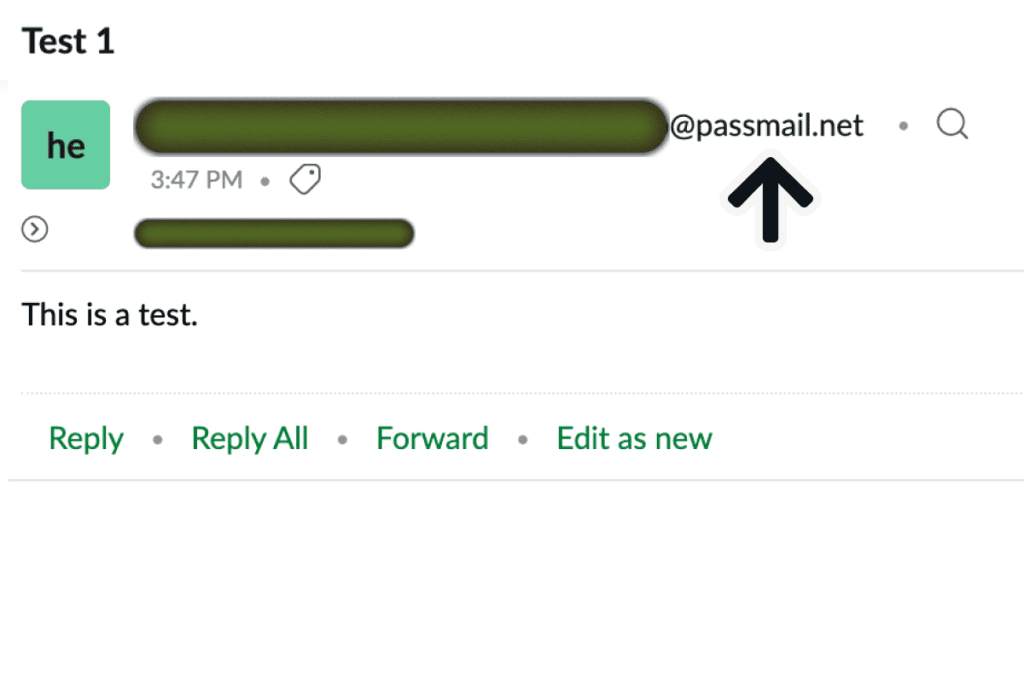
Open the inbox of the address you signed up to Proton with, where your aliases forward mail by default. Mail sent to the alias arrives from a Proton address with the sender’s address spelled into it. My first test landed in “Spam”, so check there once.
Step 5: Reply From the Right Address
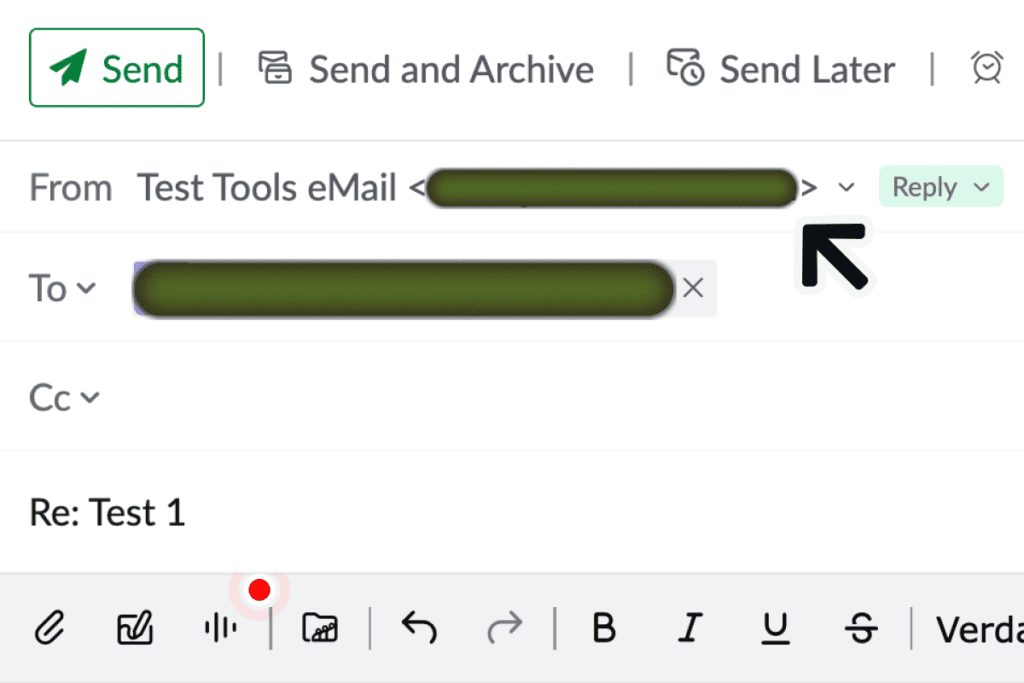
Reply from your email app as usual, but check that “From” shows the address you signed up to Proton with. The other person got my reply from the alias address.
⚠️ Sent from any address other than the one you signed up to Proton with, even a second address in the same inbox, the reply is blocked.
Step 6: Switch the Alias Off
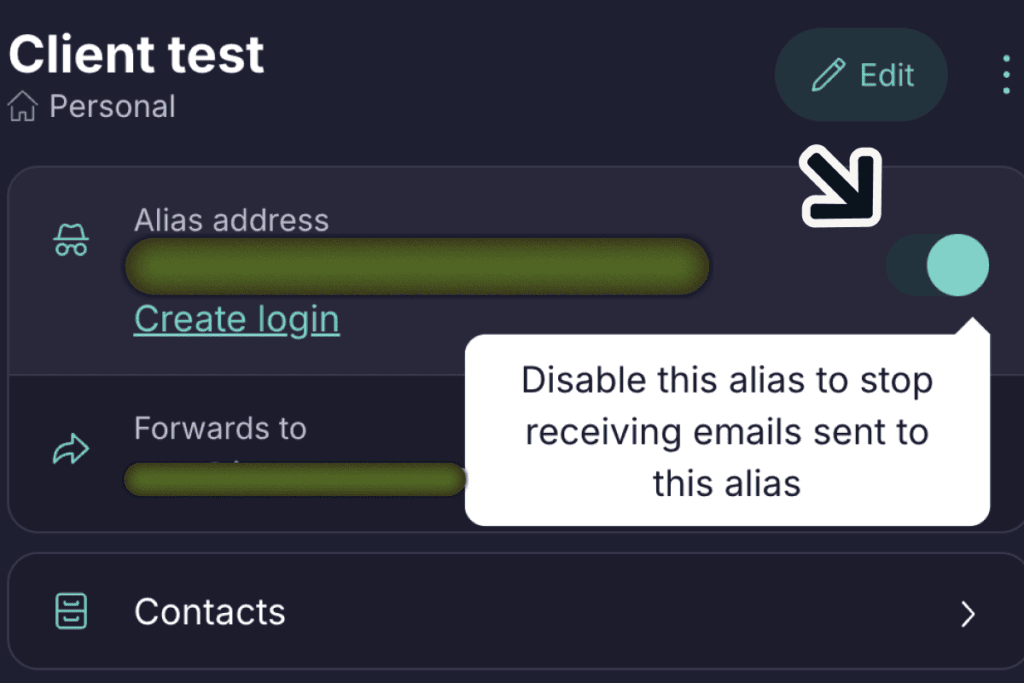
In Proton Pass, open the alias and click the switch beside its address. Proton Pass says “Alias successfully disabled”, the field reads “Alias address (disabled)”, and a test email I sent afterwards never arrived. Click the switch again to turn it back on.
Confident?
Tips to Get Better Results
Every email Proton Pass forwarded to me showed the alias it was sent to. An alias made on a sign-up form is named after the site, so the alias on each email tells you where the sender got your address.
The “Activity” line under each alias counts what it handled; on Pass Plus, mine read “1 forward • 1 reply • 0 blocks” after the test.
Common Mistakes to Avoid
Replying From Another Address in the Same Inbox
My email app sent one reply from a second address in the same inbox, and Proton blocked it, saying “sending from this alias only works from alias’s owning mailboxes”. Under “From”, pick the address you signed up to Proton with. Proton’s notice also offered an “Allow” button for the second address, which I didn’t try.
Frequently Asked Questions
How many aliases can I make on Proton Pass free?
Ten. My free account’s “Alias” menu counted them, “1/10” after the first. Proton’s help page on aliases, read October 2026, says Pass Plus removes the limit and also lets you start a new email from an alias.
Can I reply from a Proton Pass alias on the free plan?
Yes, Proton’s help page on aliases, read October 2026, says a reply to a forwarded message goes out from the alias, with no paid plan named. I tested it on Pass Plus, and the other person got my reply from the alias address. Send it from the address you signed up to Proton with, or Proton blocks it.
Why is my Proton Pass alias not working?
In my test, a message went missing for one of three reasons: the alias was switched off, it landed in Spam, or I replied from an address other than the one I signed up to Proton with. Check those first.
Is a Proton Pass alias the same as SimpleLogin?
SimpleLogin powers part of it: when I opened Proton’s upgrade page in September 2026, Pass Plus listed “advanced alias features (powered by SimpleLogin)”. Proton’s alias help page, read October 2026, also mentions “your connected SimpleLogin account”. In Proton Pass, you make and manage the aliases inside your vault, beside your logins.
What’s the difference between switching an alias off and deleting it?
Switching off stops mail and can be undone (I turned mine back on later), so switch off first if you might need the address again. Proton’s help page on aliases, read October 2026, says “Deleted aliases cannot be recovered.” Its restore section adds a way back for less than 30 days, from the Alias Trash of a connected SimpleLogin account; I haven’t tried a restore.
Final Thoughts
Your Proton Pass alias now takes a site’s mail and lets you answer it in private. The one catch is that each reply has to be sent from the address you signed up to Proton with.
For what Free and Plus each give you, read my Proton Pass review.
Evidence verified: October 2026.

By Jonas Moons, founder & reviewer
I test every tool on Clear-Cut Reviews myself. No ghostwriters, no faceless team. If a tool falls short, I say so, even when it earns me nothing.