How to Use NordPass 2026: First 10 Minutes on the Free Plan
From an empty vault to a Face ID fill on your iPhone.
Bottom line: Install the browser extension, sign up with two passwords, save your recovery code, and let NordPass save your logins.
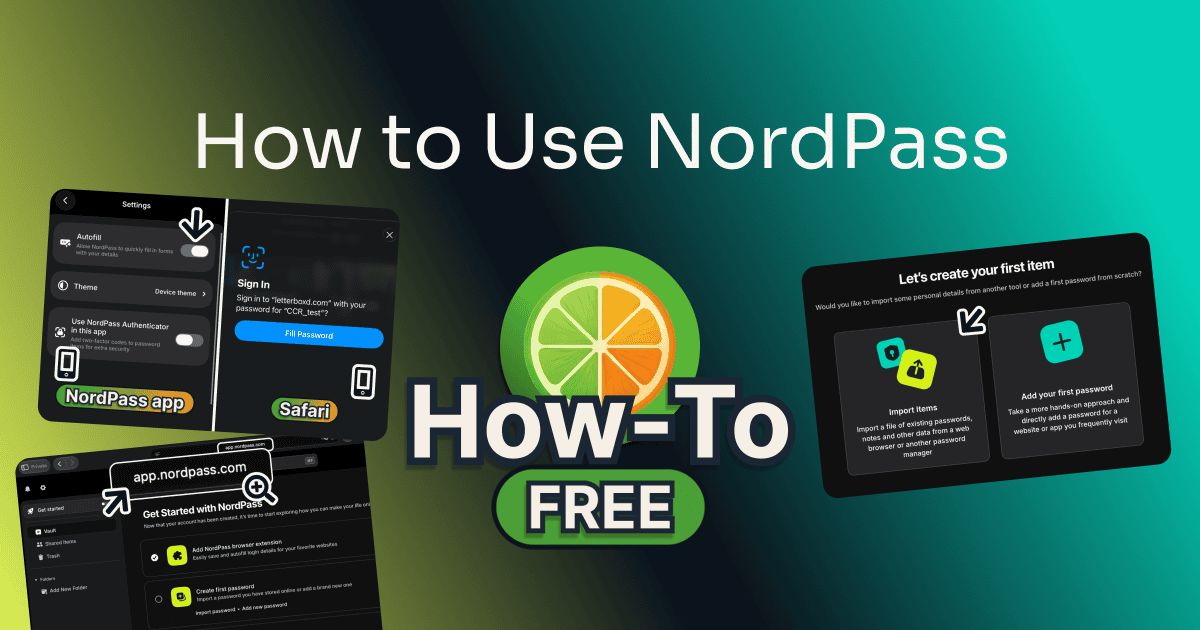
I learned how to use NordPass in Chrome, then opened it in Safari and on my phone.
Table of Contents
This post has no active affiliate links yet.
Before You Start
| Tool | NordPass |
| Time to complete | About 10 minutes |
| Difficulty | Easy |
| Plan required | Free |
You need:
- Two passwords of your own, one for your Nord Account and a master password for the vault.
- A safe place, off your computer, for the recovery code.
NordPass’s Business plans add shared folders and an admin panel; this guide covers the personal plans.
Free
How to Use NordPass: Step by Step
Follow along:
Step 1: Install the Extension and Sign Up
Click “Try NordPass free” above, scroll to the bottom of the page that opens, and pick your browser under “Extensions”.
Click “Add Extension” and confirm in the store. Open the NordPass extension, type your email, click “Continue”, and set your two passwords.
Step 2: Import the Logins You Already Have
On the “Let’s create your first item” screen, click “Import Items”. Nothing to bring? Click “Skip”.

Pick where your logins are now. For a CSV file, choose “Spreadsheet” at the bottom, drag the file in, and click “Import”.
Step 3: Save Your Recovery Code
Click “Full screen” in the extension, then the gear at the top left (1). Under “Security”, click “Get Recovery Code” (2).
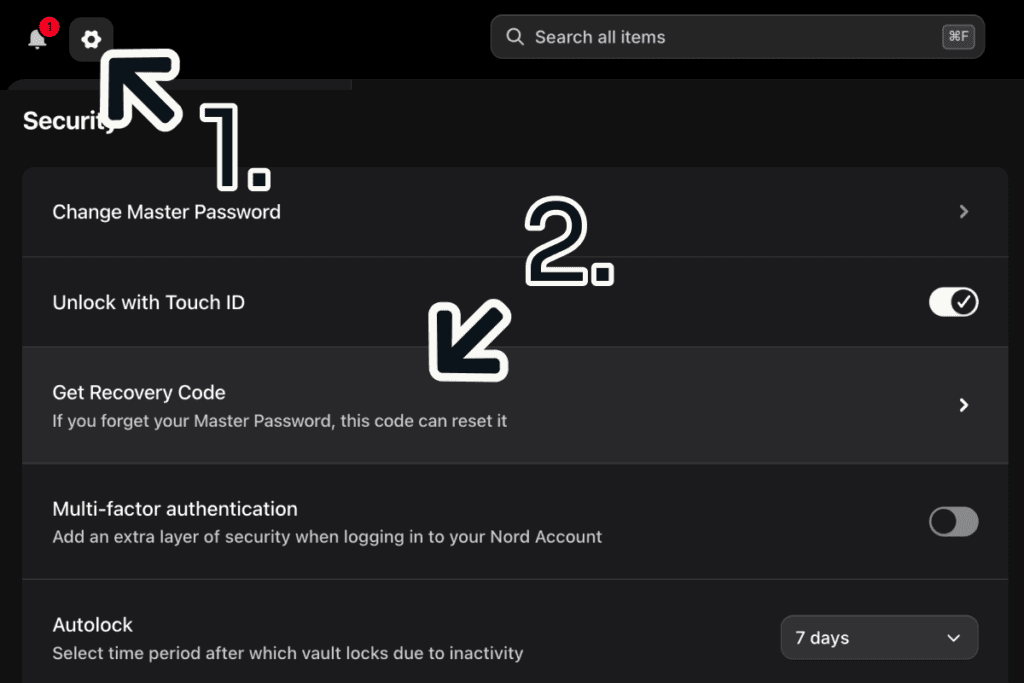
The code appears at once. Copy or download it.
Step 4: Generate and Save a Password
On a site’s sign-up form, click the password box. NordPass’s “Password Generator” suggests a strong password. Click “Use Password”.

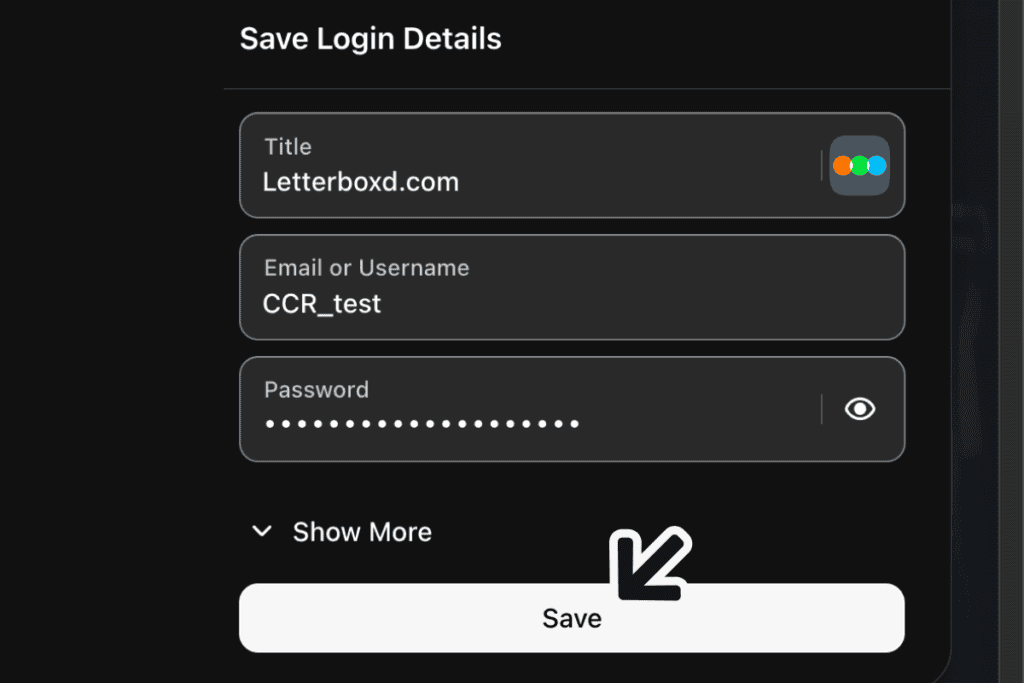
After you sign up, click “Save” in the “Save Login Details” panel.
Step 5: Let NordPass Fill In the Login
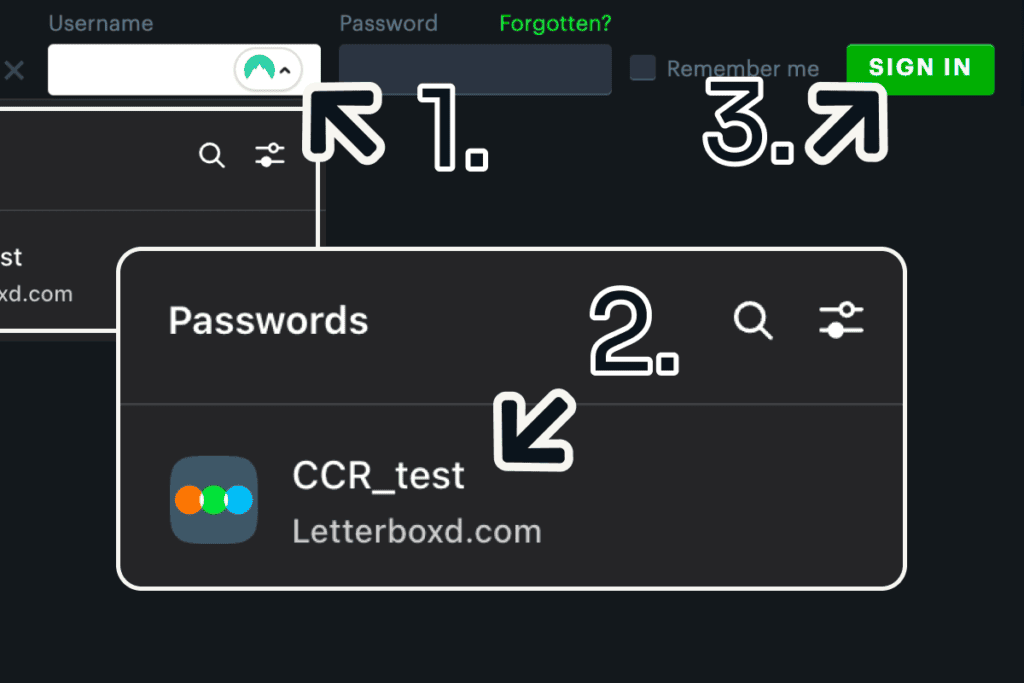
Next time, click the site’s username box (1) and pick your login from NordPass’s “Passwords” list (2). It fills the username and the password; then click the site’s sign-in button (3).
Step 6: Open the Web Vault Without the Extension
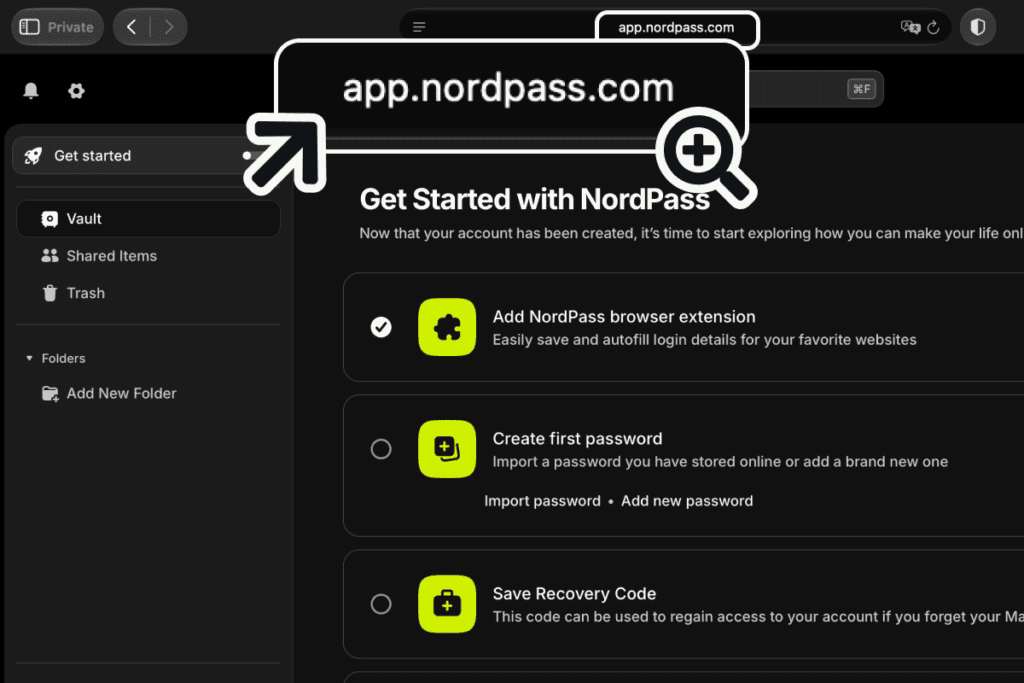
On a computer without the extension, go to app.nordpass.com. Type your email, click “Continue”, then enter your Nord Account password and your master password.
A Premium pop-up appears a few seconds later; close it with the “X”.
Step 7: Set Up the iPhone App
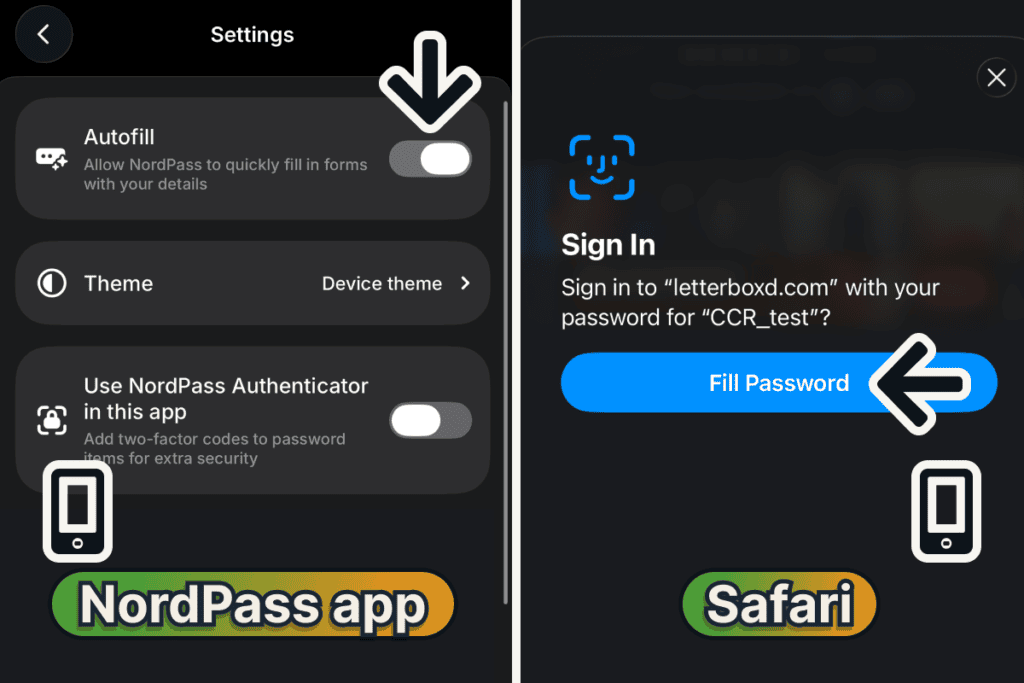
Install NordPass from the App Store and sign in with the same email and both passwords. Tap “Profile”, then “Settings”, and check that “Autofill” is on.
⚠️ On the free plan, signing in on your phone signs NordPass out on your computer.
On a sign-in page, Safari then offers your login. Tap “Fill Password” and confirm with Face ID.
Confident?
Tips to Get Better Results
In NordPass’s settings, under “Security”, switch on “Unlock with Touch ID” to open the vault with a fingerprint. In Chrome it set up a passkey first, then took one touch.
Click “Options” under a suggested password to change its length or switch from characters to words.
Common Mistakes to Avoid
Expecting the Free Plan to Keep Two Devices Signed In
On the free plan, signing in to the iPhone app signed out the extension on my computer, and signing back in showed “You are logged out from other devices”; the web vault in Safari didn’t sign the extension out. On Free, sign back in where you need NordPass, or choose Premium, which keeps both signed in.
Losing the Master Password Without the Code
Your Nord Account password resets by email, but your master password doesn’t: without the recovery code, NordPass offers only a vault reset that will “permanently delete all of your items”. Save the code in step 3, on day one.
Frequently Asked Questions
Is NordPass free to use?
Yes, NordPass has a free plan, and every step in this guide works on it. I saved my recovery code on Premium, but Free has the same “Get Recovery Code” option. Premium adds sharing, file attachments, Password Health, and the Data Breach Scanner.
How does NordPass work?
NordPass keeps your logins in a vault that your master password unlocks, and its extension or app fills them into sign-in forms. Your Nord Account password signs you in to Nord itself, for billing and Nord’s other products.
Does NordPass have a web vault?
Yes, at app.nordpass.com, with nothing to install. NordPass’s web vault page, read October 2026, puts autofill under the extension.
How do I use NordPass on iPhone?
Install the NordPass app, sign in with your email and the two passwords you chose at sign-up, and check that “Autofill” is on in the app’s settings. Safari then fills a saved login after Face ID. I tested it on an iPhone; NordPass’s site, read October 2026, also lists an Android app.
Do I need the NordPass desktop app?
No. NordPass’s help page on its standalone extension, read October 2026, says the extension works without the desktop app in Chrome, Firefox, Safari, Opera, and Edge; I used it alone, in Chrome.
Final Thoughts
Your NordPass vault is now set up on your computer and your phone. On the free plan, it stays signed in on one device at a time.
For what Free and Premium each do, read my NordPass review, and to share a login, my NordPass sharing guide.
Evidence verified: October 2026.

By Jonas Moons, founder & reviewer
I test every tool on Clear-Cut Reviews myself. No ghostwriters, no faceless team. If a tool falls short, I say so, even when it earns me nothing.