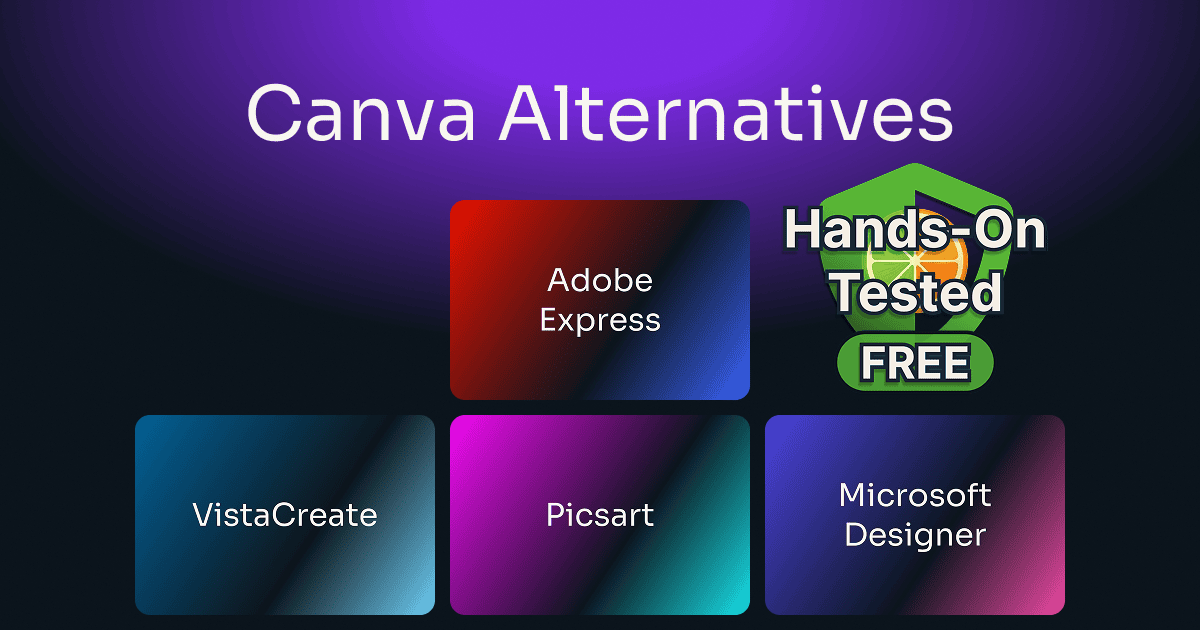
Canva Alternatives Free in 2026: Clean Exports, Cutouts, and PDFs
Four free design tools I took all the way to a finished export, and the exact point where each free plan stops.
Bottom line: Adobe Express is the best free Canva alternative for most freelancers, and VistaCreate is the pick if you need a free brand kit you can apply to your graphics.
Canva Free blocks three everyday jobs: a template with a crown on it, background removal that asks you to upgrade, and a transparent PNG, which downloads on a white square. I tested Canva alternatives free of charge, all of them apps similar to Canva and built around templates, and judged each on whether you can hand real work to a client without paying. If you’d rather pay, my Canva Pro review, Adobe Express review, and Adobe Express vs Canva comparison cover the upgrade.
Table of Contents
This post has no active affiliate links yet. No affiliate program can change my scores.
Which Free Canva Alternative Is Right for You?
Adobe Express is the best all-rounder of these free apps like Canva. Info jumps to the tool’s full section below, and the arrow opens its site. Upgrade is what the first paid plan costs, if you ever want one.
All prices are in US dollars from each vendor’s own US pricing page, read on 25 September 2026 (Adobe’s on 1 October 2026), never converted, so what you see may differ by region.
⚠️ Adobe Express and VistaCreate both score 4.5, and Picsart and Microsoft Designer both score 4. Each pair is ordered by the unrounded average of the four sub-scores: 4.375 and 4.25, then 4.125 and 3.75.
How I Tested These Free Canva Alternatives
Adobe Express, VistaCreate, Picsart, and Microsoft Designer are all free online Canva alternatives, and I used each one’s browser editor on my computer, on a free account with no trial running (a second account for Adobe Express, because my main one pays for Premium). I took a real design with my own logo and files all the way to a finished export on each before looking at any upgrade, testing Adobe Express in July and August 2026 and the other three in August 2026, then re-checking a few results in September and October 2026. Every score here is for the free plan, worked out as my How I score page explains; I didn’t score the paid plans, and I didn’t send a support ticket or an email to any of the four.
The Same Tests, Side by Side
Finishing and exporting a design
| Test | Adobe Express | VistaCreate | Picsart | Designer |
|---|---|---|---|---|
| Export with no watermark | ||||
| Transparent PNG | Free, after a fix | Free, after a fix | Paid | Free, after a fix |
| Export PDF | Free | Free | Paid | Free |
| Resize a finished design | Paid | Paid | Free | Free |
| Remove a photo background | Free | Paid | Paid, watermarked | Free, no credits used |
Free plans; Picsart’s exports and background removal, Adobe’s PDF export, and Designer’s background removal come from the later re-checks. “After a fix” means the PNG came out on white until I changed a hidden setting, which each tool’s score line below names.
Branding, templates, and AI
| Test | Adobe Express | VistaCreate | Picsart | Designer |
|---|---|---|---|---|
| Brand kit | Builds, won’t apply | Builds and applies | Opens, every part paid | None since Oct 2025 |
| Tell free templates from paid | Free-only filter | No filter, a small diamond | Filter, inside a design | All free, none locked |
| AI image from a prompt | Free, dropped parts of the brief | Free, kept the brief (2 of 2) | Free, misread the brief | |
| Shows your AI allowance | No, just “limited” | Balance, never the price | Counter, 15 a month |
Free plans. Adobe Express and Picsart got the same image prompt; Designer got a flyer brief.
Getting help
| Test | Adobe Express | VistaCreate | Picsart | Designer |
|---|---|---|---|---|
| Instant help (a bot) | ||||
| Reach a person | Ticket, no login | By email, via ArtBot | ||
| Public help forum | Yes, staff reply | Creator community only | No Designer questions found |
Free plans. A row says the channel exists, not how fast it answers.
The Overall Winner: Adobe Express
Adobe Express is the best free alternative to Canva for most freelancers, because it gives away background removal, transparent PNG once you know the fix, PDF export, and full-resolution video, and it’s the only one of the four with a public forum where staff reply. For background removal and transparent PNG, two jobs Canva keeps for Pro, it works as a free Canva Pro alternative. It charges for resize and for applying a brand kit, so if keeping one brand across every design is your main job, VistaCreate is the better free plan.
#1: Adobe Express
FREE
Total Score:
4.5 / 5
Pricing: Free. Premium from $9.99/mo
Source: Adobe’s US pricing page, read 1 October 2026.
Pros:
- Full-resolution video and PDF export, free
- Background removal free, no crown
- Public community with staff replies
Cons:
- Brands builds but never applies
- No resizing a finished design free
Best for:
- Freelancers who won’t pay for a design tool
- Anyone already using Adobe’s other apps
Not for:
- Keeping a brand consistent for free
- Repurposing one design across several formats
Why Adobe Express Is Ranked #1
Adobe Express, Adobe’s own Canva alternative, gives a freelancer the most for nothing. Templates, stock, background removal, transparent PNG, and video at the source clip’s full resolution are all free, which is why its Value score of 5 is the only one in this roundup.
My Insight:
Adobe Express gives away background removal and transparent PNG export, which Canva Free charges for, and those two decide whether you can hand a client a clean logo file.
It’s also the only tool in this roundup with a public help forum that answers. When I counted, eight of the ten newest discussions on its forum had replies, and the two without were minutes old. Adobe staff answer there, and free accounts can post.
Brands is where Adobe’s free plan stops. With the free account I built a full brand, with three logo variants and a four-color palette, without a single prompt, and then the page told me straight: “You’ll need to upgrade to use Brands.”
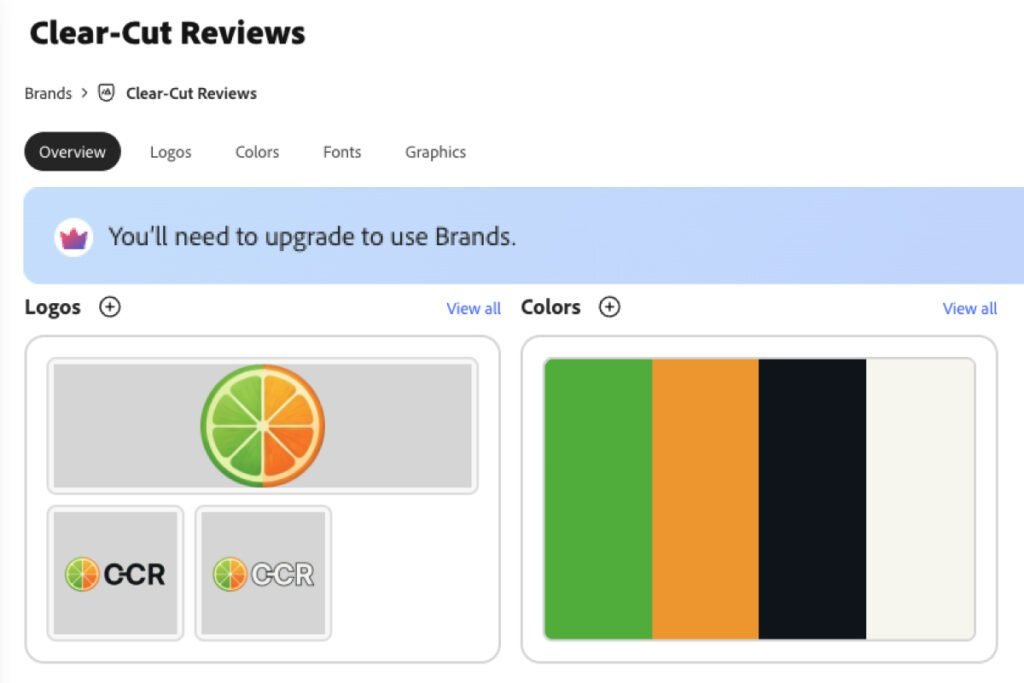
Libraries works the same way, so Adobe gives away the making and charges for the organizing. Resize is Premium too, so one graphic in four placements gets built four times.
Adobe Express Score Breakdown
Overall:
4.5 / 5
Features sits a point lower, at 3.5, because the brand you build and the design you’d resize both wait for Premium. It’s still the most generous free plan in the group.
4.5 / 5
Ease of use
A “transparent” PNG exports on white until you delete the frame’s background color, and that fix is buried; everything else is clean and fast.
5 / 5
Value
Nothing a freelancer needs to finish a job sits behind the paywall.
3.5 / 5
Features
Brands builds but applies to nothing, there’s no free resize, and AI drops parts of a brief. Background removal and full-resolution video are free.
4.5 / 5
Support
There’s no private channel on the free plan, but its forum is the only real public community here.

#2: VistaCreate
FREE
Total Score:
4.5 / 5
Pricing: Free. Pro from $13/mo, or $10/mo billed annually
Source: VistaCreate’s US pricing page, read 25 September 2026.
Pros:
- Free brand kit applies to designs
- 10 GB of free storage
- Support ticket needs no login
Cons:
- No resizing a finished design free
- No price or license template filter
Best for:
- Anyone keeping one brand consistent for free
- Freelancers who need room to store work
Not for:
- Repurposing one design across several formats
- Anyone who came for AI image generation
Why VistaCreate Is Ranked #2
VistaCreate is the only tool in this roundup whose free brand kit both builds and applies, and on that one job it’s better than Canva Free, which allows three colors and locks logos and fonts.
My Insight:
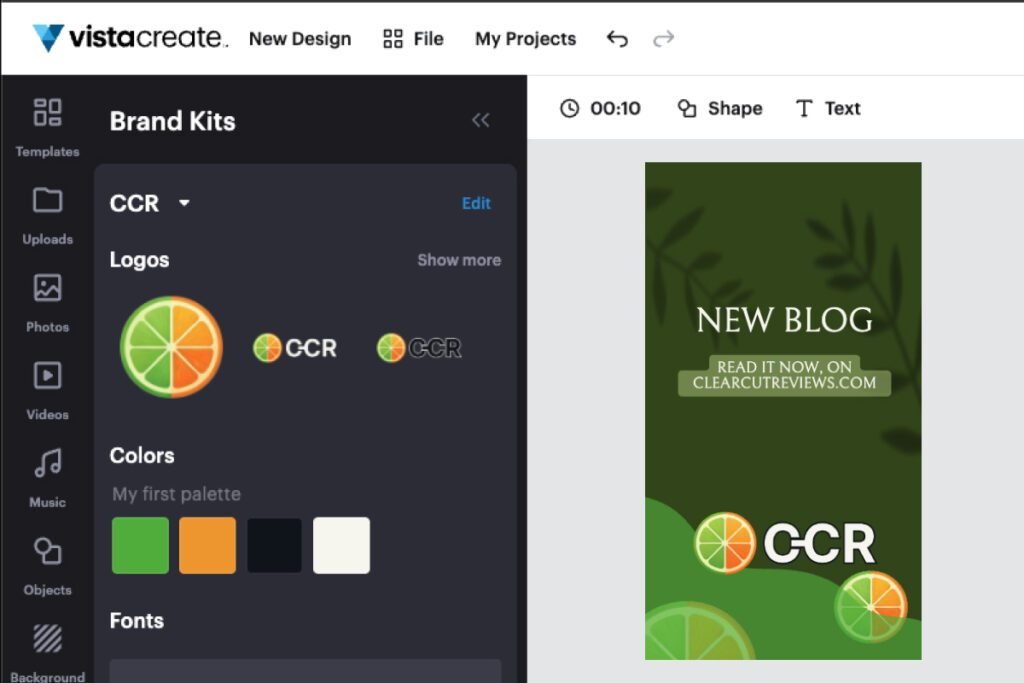
Everything you save in VistaCreate’s free brand kit is yours to use. I saved three logos and four brand colors, then dragged them onto a design without a crown appearing. The kit also takes heading, subheading, and body fonts, with an Upload fonts button for your own.
Storage is generous too. The free plan’s 10 GB is double Canva’s 5 GB and the most in this roundup. All seven export formats are free, transparent PNG and PDF among them.
You can filter VistaCreate’s templates by category, and by nothing that tells you whether you may use them. With no free-or-Pro filter and no license filter, a small diamond is the only warning, and you find out by clicking. Picsart filters by both price and license.
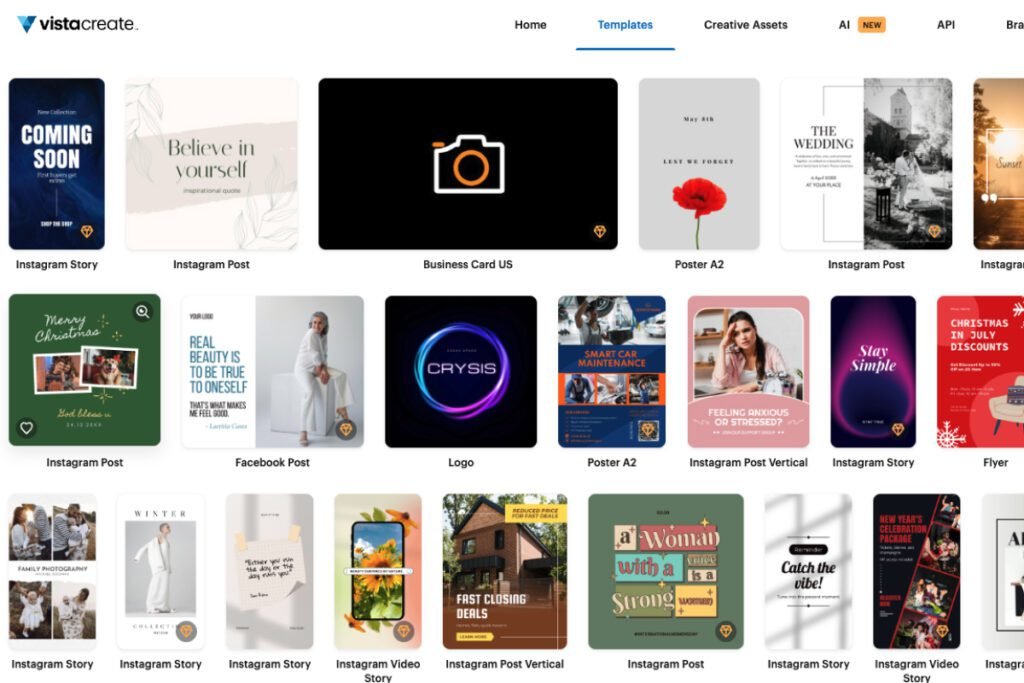
Resize and background removal are Pro, and there’s no generative AI on the free plan, though templates and stock get you to the same result.
VistaCreate Score Breakdown
Overall:
4.5 / 5
VistaCreate sells its upgrade before it lets you design, which keeps Ease of use at 3.5. Past that, it’s the most sustainable free plan here.
3.5 / 5
Ease of use
I sat through a seven-slide sales carousel and a second walkthrough before making anything, the templates have no price or license filter, and a transparent PNG lands on white unless you set the frame’s opacity to zero first. Pro templates are at least marked and blocked on click, so you never lose work to one.
4.5 / 5
Value
Background removal is paid, and Adobe Express gives it away. Font upload costs nothing, and neither do PNG and PDF export.
4.5 / 5
Features
No free resize is the one real gap; the brand kit is the best in the group.
4.5 / 5
Support
Nothing is instant and there’s no community, but its ticket form needs no login.
#3: Picsart
FREE
Total Score:
4 / 5
Pricing: Free. Pro from $15/mo, or $10.50/mo billed annually
Source: Picsart’s US pricing page, read 25 September 2026.
Pros:
- Free exports carry no watermark
- Resizes a finished design free
- Shows your remaining free credits
Cons:
- PNG and PDF export are paid
- Free storage stops at 100 MB
Best for:
- Quick one-off graphics you export and forget
- Fast resizing without paying for it
Not for:
- Anyone building up a body of work
- Delivering logos or print-ready PDFs
Why Picsart Is Ranked #3
Picsart is one of only two tools here that resize a finished design for free, and the only one whose free plan has both a help bot and a person you can reach by email. Storage keeps it at 4.
My Insight:
Picsart turns a finished design into another format for free, and it recomposes the layout rather than stretching it. Canva keeps that behind Pro. Picsart’s template filter also sorts by license, personal or commercial, so you can rule out what you may not sell before you start.
Its AI image generator passed my test prompt on the free plan. I asked for oranges, limes, and lemons flying around a cartoon man jumping in a field, and all of them were on both images. Each image costs 2 credits, and Picsart never shows the price before you click, so you learn it by watching the balance drop.
The photo-to-painting restyle did well too, turning an ordinary holiday snap into something that reads as a real painting, down to the lettering on the boat.
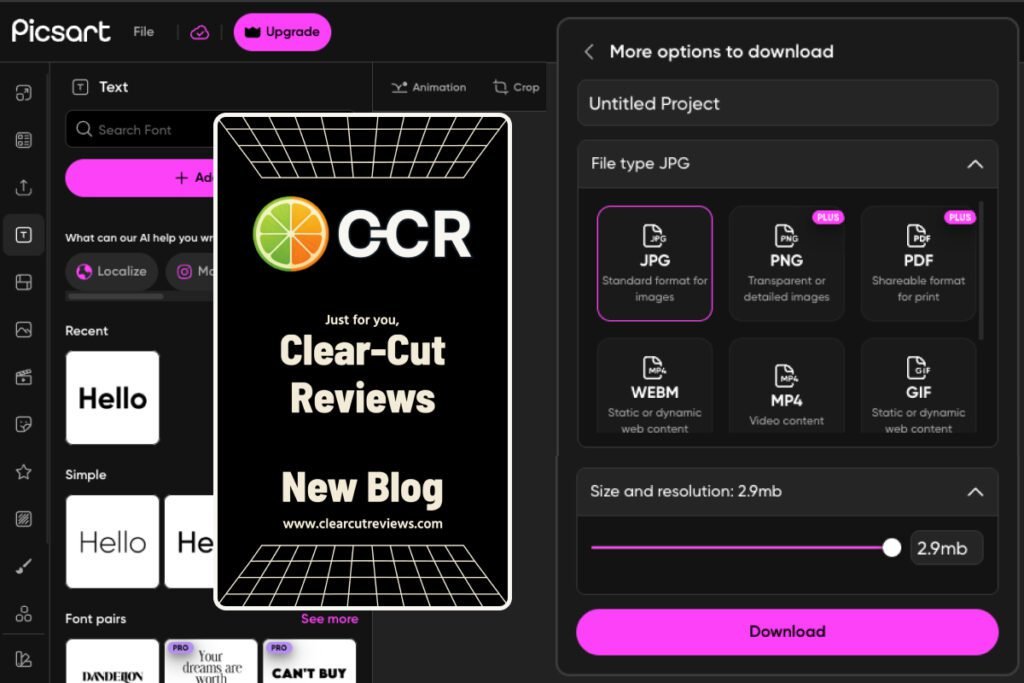
The first wall stands in front of the two file types you need most. When I re-checked the free plan, exports came as JPG, WEBM, MP4, and GIF, and PNG and PDF both sat behind a PLUS badge. Picsart is the only tool in this roundup charging for either.
The download panel itself spells out what you lose: PNG is “Transparent or detailed images”, PDF is “Shareable format for print”.
Background removal is paid as well: in the same re-check, the cutout ran, then came back covered in a Picsart watermark.
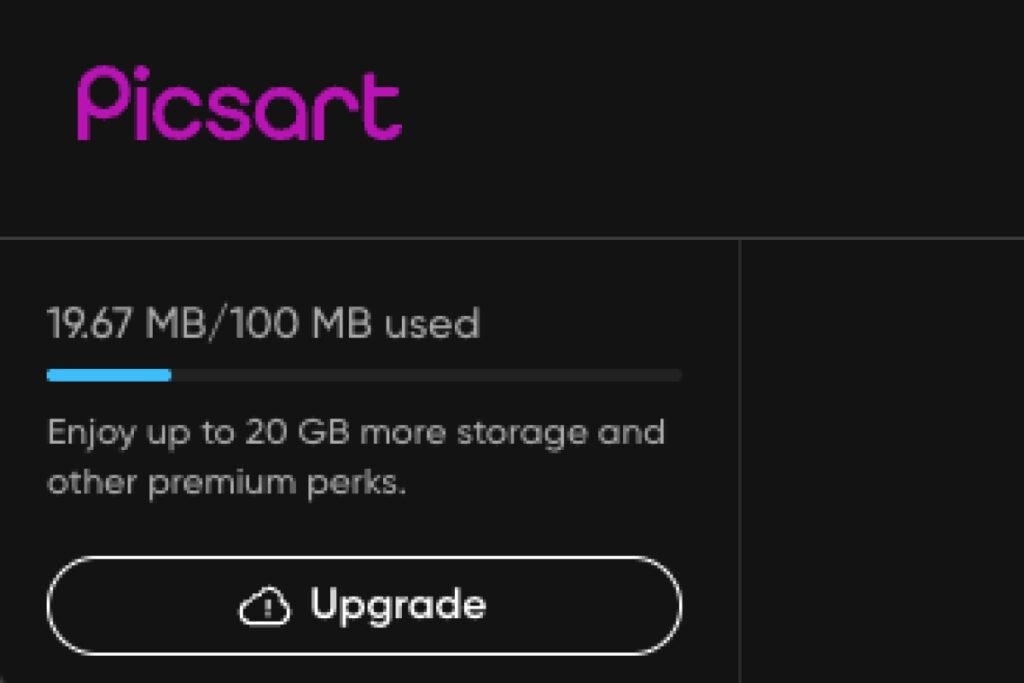
Storage is the second wall. The free plan holds 100 MB, and one AI image from my testing was 6.87 MB, so it fits fourteen of them. You can download and delete, but what you delete is the editable project, so a client asking for a date change three weeks later means rebuilding rather than editing.
Most complaints about Picsart on Trustpilot are about billing and canceling a subscription, not the product (read August 2026).
Picsart Score Breakdown
Overall:
4 / 5
The 2.5 for Value is what pulls it down, because the free plan can’t hold a body of work and charges for the files clients ask for most. Its license filter is the strength, showing only the templates you may use commercially.
4.5 / 5
Ease of use
A full-screen upgrade window opens every time you close a download’s preview. The rest of the editor is fast and clear.
2.5 / 5
Value
It’s the only tool here charging for both PNG and PDF, background removal is paid too, and storage is 100 MB.
4.5 / 5
Features
The brand kit is a shell with everything crowned. Resize and clean exports are free.
5 / 5
Support
ArtBot, its AI assistant, warns that “there may be long delays” and offers a reply from Picsart’s agents by email. Spaces is a creator community, not a help forum, but with ArtBot offering a person, that costs nothing.
#4: Microsoft Designer
FREE
Total Score:
4 / 5
Pricing: Free. Designer has no paid plan of its own; the upgrade is a Microsoft 365 subscription from $9.99/mo, which also includes Word, Excel, Outlook, OneDrive, and Copilot
Source: Microsoft’s US plan comparison page, read 25 September 2026.
Pros:
- PNG, JPG, and PDF all export free
- Resizes to print-resolution A4 free
- AI credits shown with a counter
Cons:
- No brand kit since October 2025
- Commercial use rights left unclear
Best for:
- Free AI images where you can see the limit
- Print-ready flyers at no cost
Not for:
- Client work you must be certain you can sell
- Anyone who needs a brand kit
Why Microsoft Designer Is Ranked #4
Microsoft Designer is the only tool here that gives away PNG, PDF, and resizing together. It ranks fourth because Ease of use and Support both sit at 3.5, and no other tool in this roundup scores that low twice.
My Insight:
Designer hands you something Canva Free doesn’t, a free resize into other formats, A4 and US Letter at print resolution included. The image re-centers and the text keeps its size, so a wide format needs a text fix. With PDF export free as well, a flyer goes from screen to print without paying.
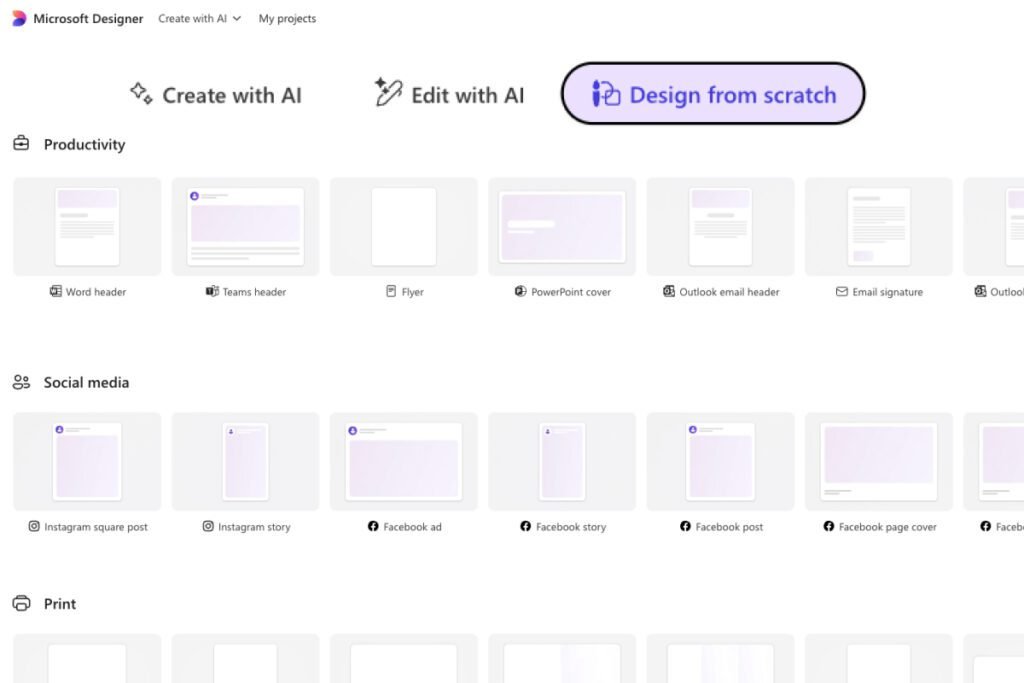
I got one thing wrong at first. Designer isn’t AI-only. Design from scratch is a normal format picker, and the print group is where the free A4 and US Letter sizes live.
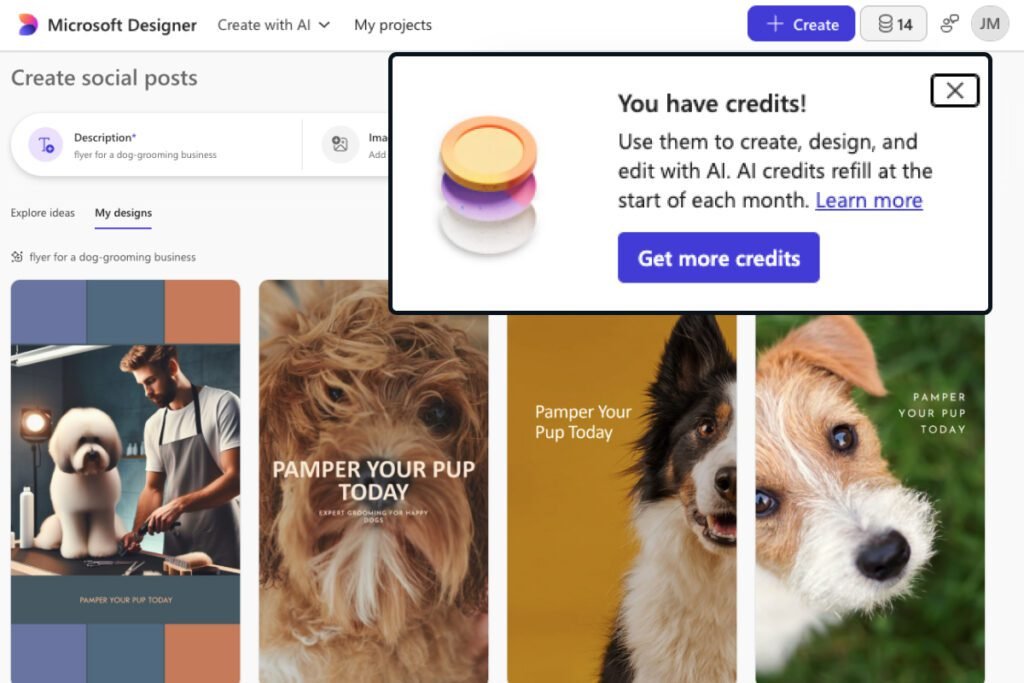
Designer is also open about its AI allowance. A new free account I opened started with 15 credits, one per prompt and four designs per credit, and the count sits in the toolbar. Knowing you have fourteen left is a different experience from discovering you have none, and Canva Free doesn’t show you a number at all.
Designer’s free plan has two walls, and the second matters more. Brand kits are gone, removed in October 2025 according to Microsoft’s own note, while Designer’s FAQ still explains how to use them. Following those steps, I searched the product and the web and found nothing: the steps describe a feature Microsoft had already removed.
The bigger problem is that I can’t tell you whether Microsoft lets you sell what you make in Designer. Its FAQ says three times that Designer is for personal use, once in exactly these words: “Designer is licensed for personal, non-commercial use with your Microsoft account.”
The Microsoft Services Agreement, the contract you accept when you sign in, limits several named services to personal, non-commercial use, Xbox, Skype, and Cortana among them, and never names Designer. Designer runs under its own supplement, titled “for Consumers”, and I couldn’t read it. I read the note, the FAQ, and the agreement in August 2026, and the agreement’s September 2026 version still doesn’t name Designer.
If I had to bet, I’d bet on the FAQ. It says it three times, and the supplement’s title points the same way. Microsoft could settle this in one sentence and hasn’t, so the doubt is what costs Designer a point here, not a proven ban.
For client work, check the current terms yourself before you deliver, or use a tool that answers the question. I’m reading published documents, not giving legal advice, and I’m not a lawyer.
Microsoft Designer Score Breakdown
Overall:
4 / 5
Help costs Designer more than anything else, both finding it and getting an answer. On the plus side, the credit counter in the toolbar always shows how much free AI you have left.
3.5 / 5
Ease of use
Transparent PNG lands on white unless you set the background first, help is hard to reach, and the docs describe a feature that no longer exists. Design from scratch, at least, is a plain format picker.
4 / 5
Value
A right you need for client work is left in doubt, though plenty is free.
4 / 5
Features
No brand kit at all, and AI misreads a brief. PNG, JPG, and PDF export are free, and so is resize.
3.5 / 5
Support
No private channel, nothing instant, and a search of Microsoft Q&A turned up no Designer questions. Posting there is still free, if you don’t mind asking the first one.
What Didn’t Qualify, and Why
Most roundups of free Canva alternatives list far more tools, and in a US Google search in October 2026 the three top-ranked ones were all written by design-tool companies that put their own product first. Mine has four, because each tool had to earn its place in a test rather than be counted in, and the ones below didn’t, grouped by what stopped them.
Solving a different problem
Pixlr, Photopea, Figma, and the desktop editors below turn up on most lists of Canva alternatives. None of them is a template-based design tool, which is what this post is about, so ranking them here would flatter the list rather than help you. That leaves this roundup recommending nothing for photo retouching or app design; for those, start with a photo editor or a UI tool named below.
Pixlr is a photo editor, not a layout tool. Pixlr Express and Pixlr Editor have no template gallery, and Pixlr’s own site calls it a “Modern AI Powered Photo Editor” (read August 2026). When I picked a size in “Create new”, it gave me a black frame, with no templates and no design suggestions.
Photopea is a free browser-based photo editor in the style of Photoshop. I didn’t test it, so I make no claims about it beyond its category.
Figma and Penpot are UI and product design tools. GIMP, Inkscape, and Krita are desktop apps for photo editing, vector illustration, and digital painting, and Lunacy is a desktop-first tool for interface design. All of them are out on category, not on quality.
Couldn’t finish the job for free
Visme looks like it belongs on this list until you try to leave with your work. I built a design on the free plan, clicked Download, and got a paywall instead of a file. Every export attempt went the same way.
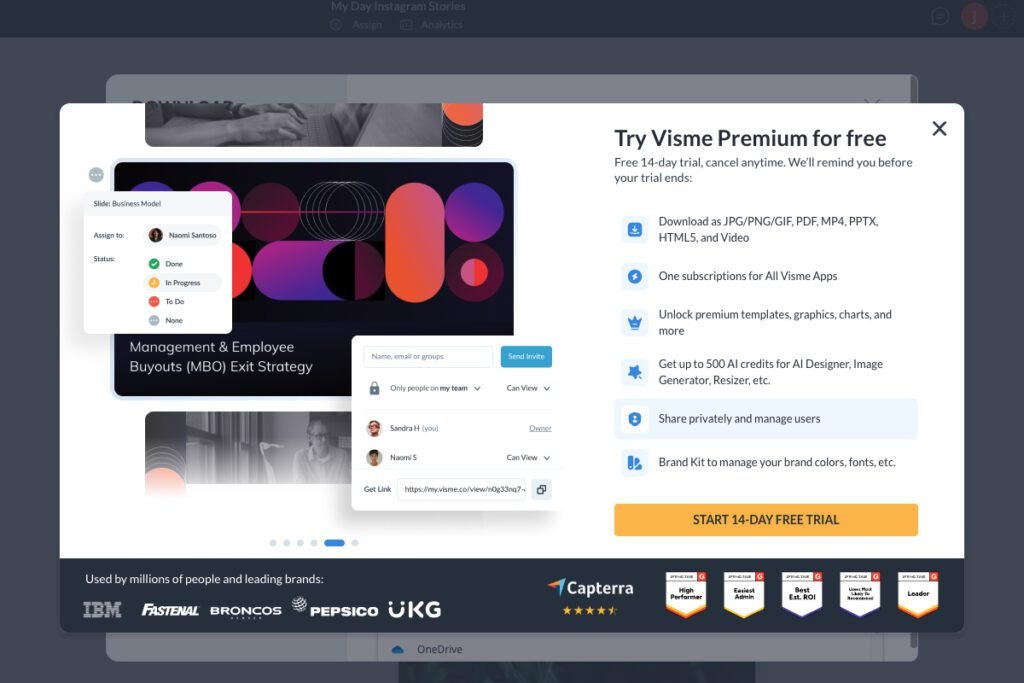
Visme lists “Download as JPG/PNG/GIF, PDF, MP4, PPTX, HTML5, and Video” as the first benefit of paying, so downloading itself is the paid feature. The same paywall offers a 14-day Premium trial (read August 2026), so this is a finding about the free plan only. A free plan that produces no file can’t do the job at all, so Visme is left out rather than scored low.
Frequently Asked Questions
What is the best free alternative to Canva for freelancers?
Adobe Express, for most freelancers. It scored 4.5 out of 5 on its free plan, level with VistaCreate at the top and ahead of it on the unrounded average, because background removal, transparent PNG, and full-resolution video export are all free. If brand consistency is your main job, though, VistaCreate is the better free choice: its brand kit applies, and Adobe’s doesn’t until you pay.
Are there free Canva alternatives with no watermark?
Yes, all four in this roundup export a finished design without a watermark on their free plans, Picsart included. The one exception I hit is background removal on Picsart: on the free plan, the cutout came back covered in a Picsart watermark. Otherwise the limits on these plans are formats and features: Picsart charges for PNG and PDF export, and Adobe Express and VistaCreate keep resize for paying users.
Can I use free Canva alternatives for client work?
Yes with three of the four: Adobe Express and VistaCreate permit it plainly, and Picsart’s help center permits it when the assets you use are marked for commercial use, which its license filter shows before you build. VistaCreate’s license even names “solo entrepreneurs” reselling design projects to clients, though it bars using a design as an official logo or trademark (VistaCreate’s license and Picsart’s help center, read August 2026; I’m reading documentation here, not giving legal advice). Microsoft Designer is the one to be careful with, because its FAQ says personal, non-commercial use while its Services Agreement says no such thing about Designer, so treat free Designer output as unsettled for paid client work until Microsoft answers it.
Which free design tool gives the most storage?
VistaCreate, with 10 GB on the free plan, double what Canva and Adobe Express give you. Picsart gives the least, at 100 MB, about fourteen AI-generated images before it fills up.
Do any free Canva alternatives include AI image generation?
Microsoft Designer, Picsart, and Adobe Express all do on their free plans, and VistaCreate doesn’t. Designer is the most open about it, with 15 credits a month and a counter in the toolbar. Picsart shows your balance but not the price (one image cost me 2 credits), and Adobe’s free account menu says only “limited”.
Is Adobe Express really free, or is it a trial?
Adobe Express’s free plan is permanent, not a trial, and it needs no payment details; Premium starts at $9.99 a month and adds what I hit as walls: applying a brand kit, resizing, and the larger template and font libraries. Adobe’s pricing page also offers a 30-day Premium trial, separate from the free plan (read October 2026). Trial terms can change and can differ by region, so read Adobe’s current terms before you subscribe.
Evidence verified: August to October 2026.

By Jonas Moons, founder & reviewer
I test every tool on Clear-Cut Reviews myself. No ghostwriters, no faceless team. If a tool falls short, I say so, even when it earns me nothing.